Exploring Algonquin College - Digital Onboarding Experience

Timeline
3+ Months
Team
4 UX Researchers
My Role
UX Research
UI Design
Background
Varying design patterns across Algonquin College subdomains and portals affect students’ onboarding experiences, learning outcomes, and engagement.
Impact
The aesthetics and features of a website influence how information is conveyed. thereby affecting a newcomer’s ability to integrate into student life..
Research Objectives
Identify the impact of current web designs on students’ experience using the college portals
Understand students’ expectations for a user-friendly web experience.
Assess the emotional and cognitive impact of the present design and navigation.
Recommend improvements to enhance usability, coherence, and accessibility.
Research Questions
What challenges do new Algonquin College students face during the onboarding process when navigating the Algonquin College website & Web portals?
How satisfied are students with the current digital onboarding experience provided by Algonquin College's webpages and web portals?
How do students experience locating essential resources and completing onboarding processes using Algonquin College's web portals and web pages?
Research Methods
For this study, we have used a mixed-methods approach by incorporating competitor analysis, a survey and a contextual inquiry to identify opportunities for improvement in the Algonquin College onboarding process.
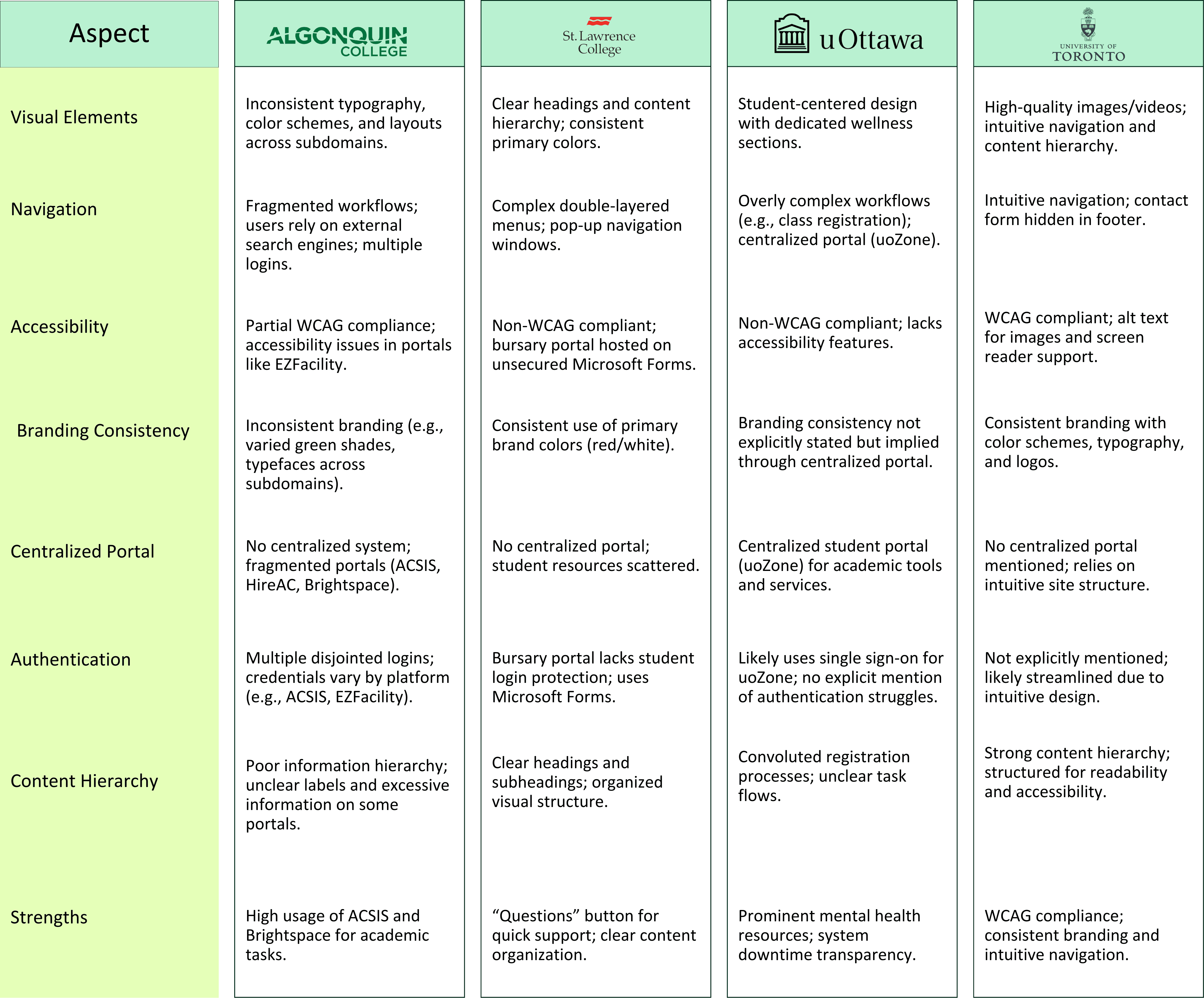
We analyzed three Ontario college and university websites: St. Lawrence College, University of Ottawa and the University of Toronto. We observed and identify strengths and weaknesses, from which we derive key insights to evaluate the relative advantages and disadvantages of online strategies.
Survey Analysis
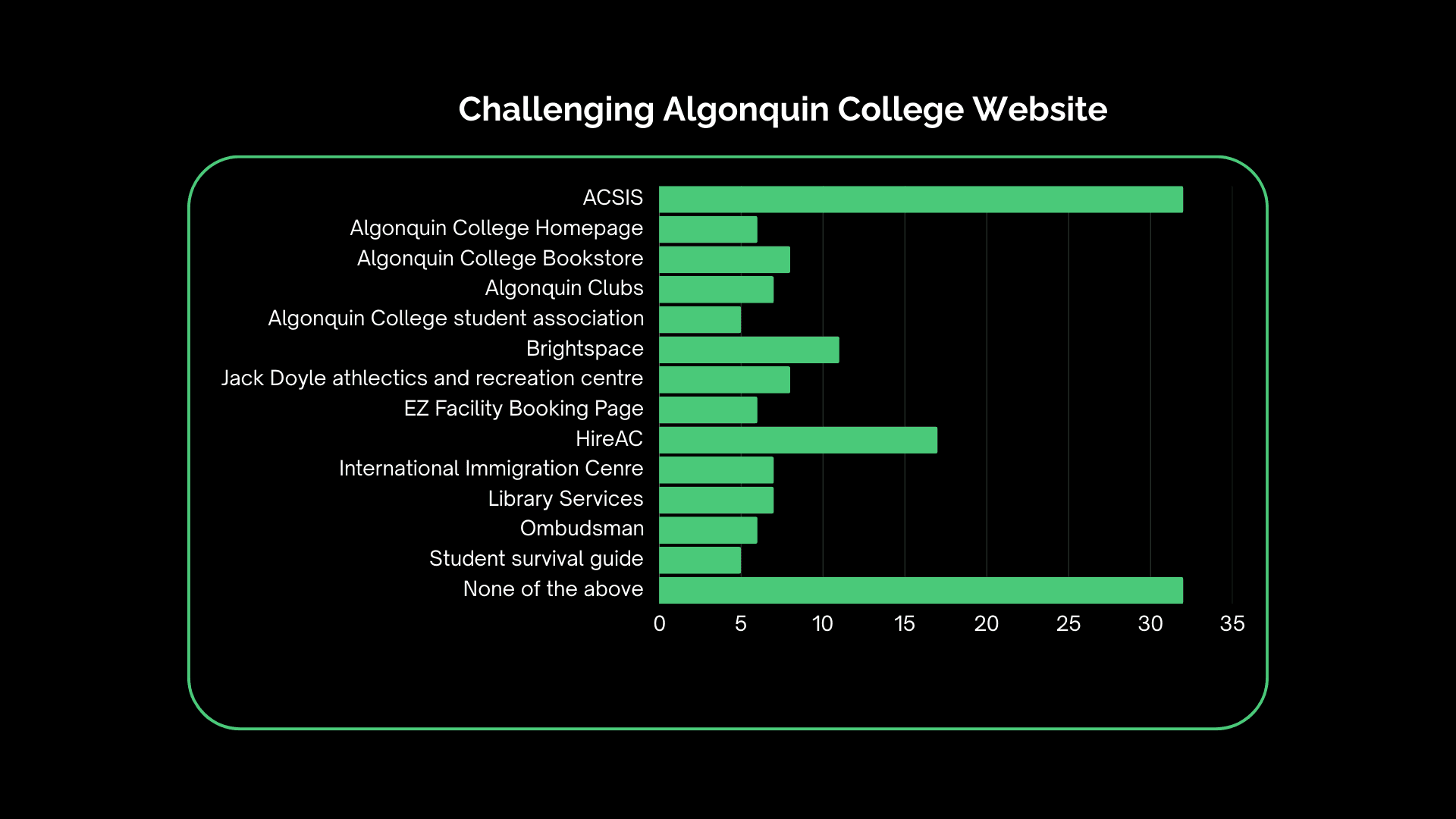
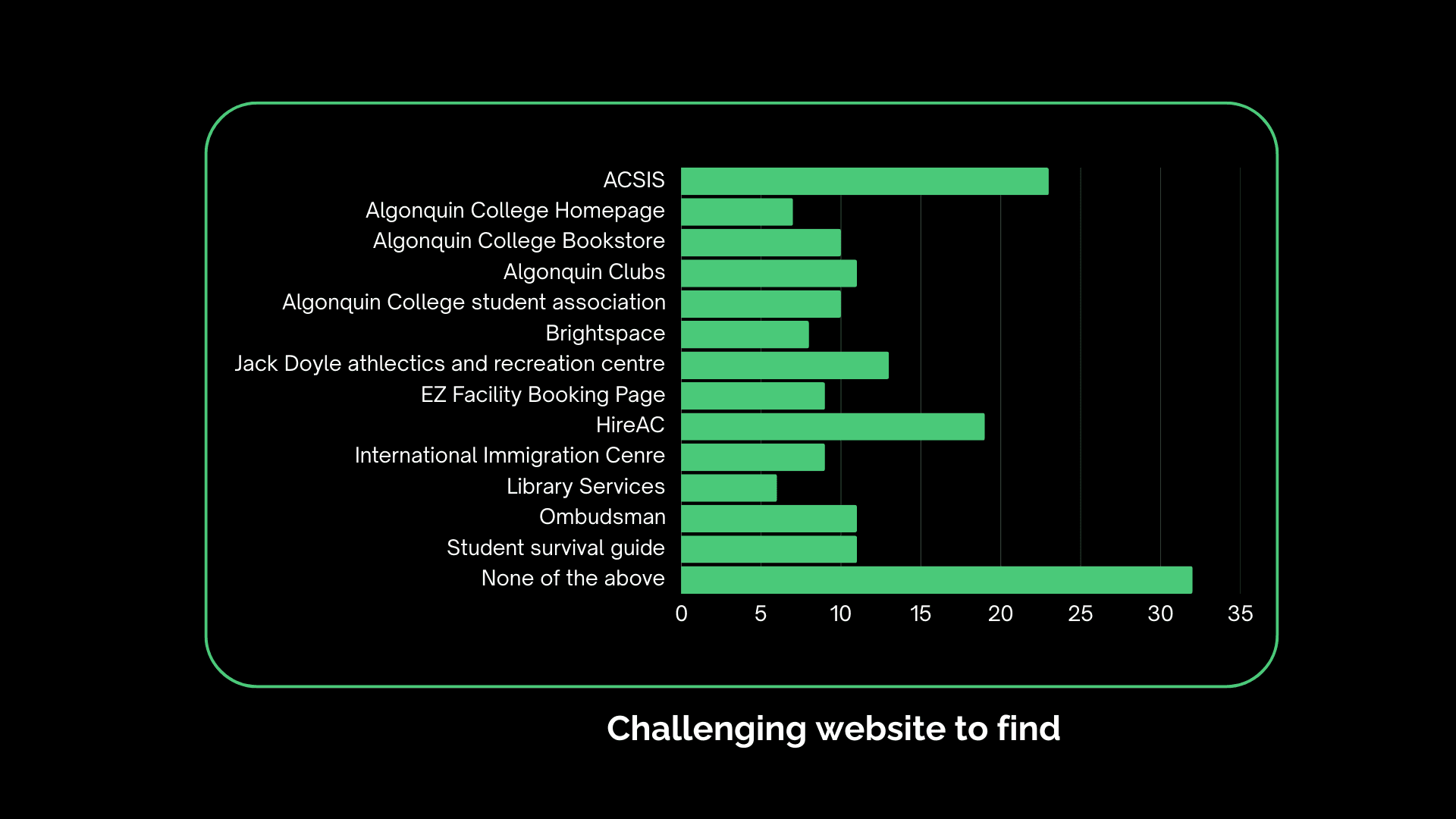
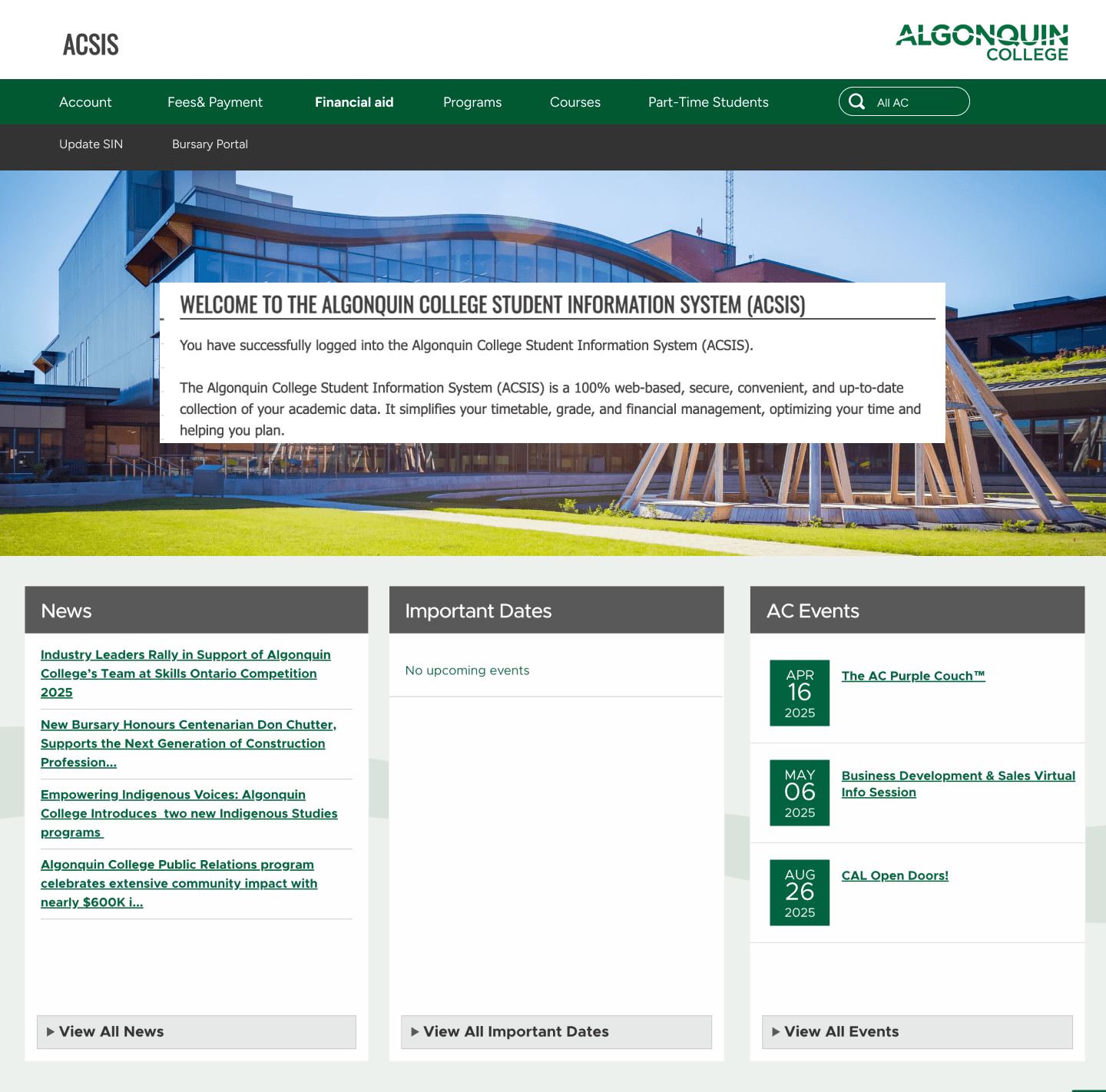
To understand the onboarding experience of new students at Algonquin College, we conducted a survey with 126 participants, narrowing our analysis to 99 first-year students for relevance. Among them, 52% were international and 48% domestic, offering a balanced perspective. Students primarily used the ACSIS platform (30%) for academic tasks like course registration and scheduling, while the main homepage and other services such as the bookstore or student clubs saw far less engagement. This indicates that students prioritize academic-related pages during onboarding and may lack awareness or access to non-academic tools.
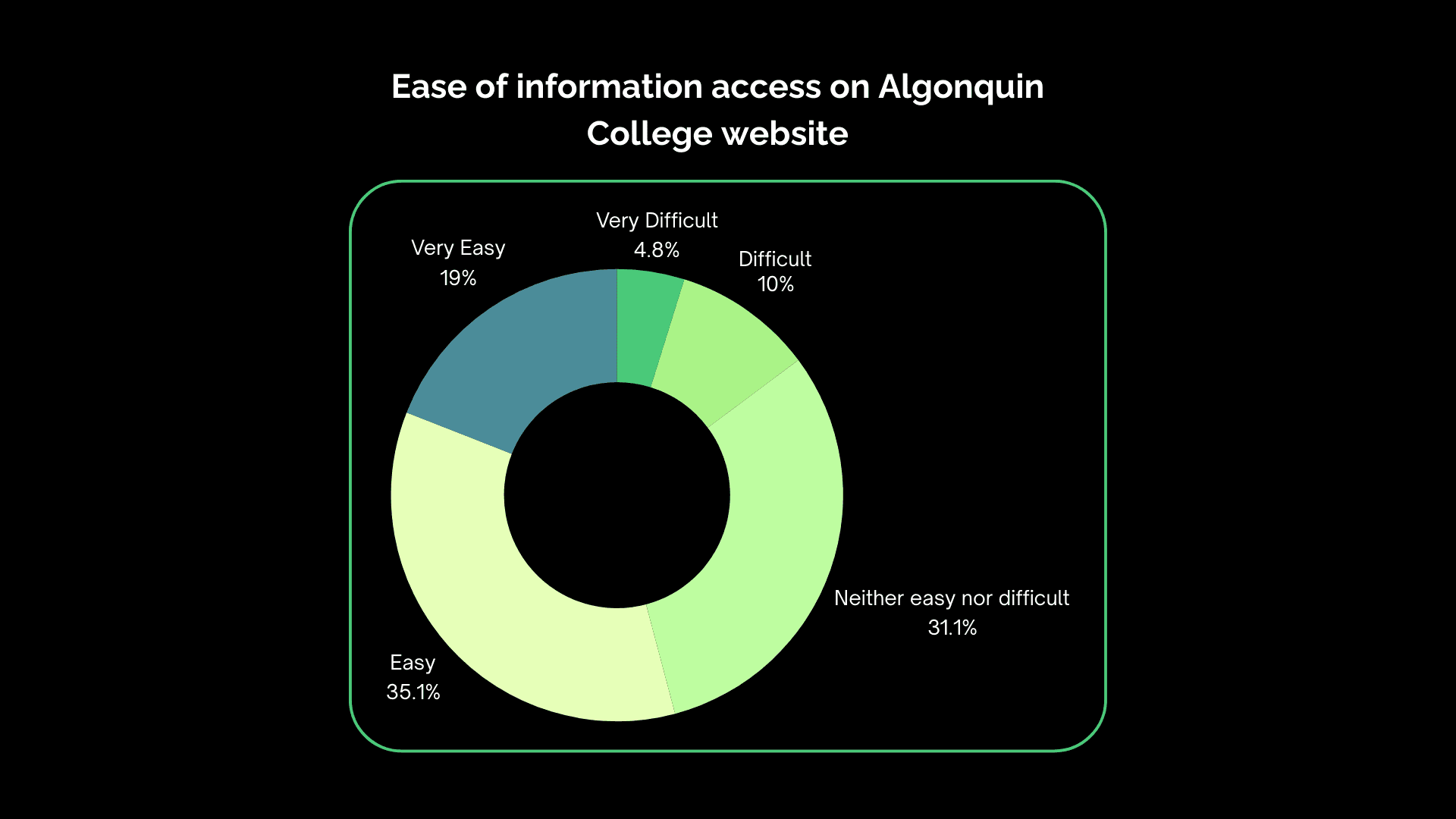
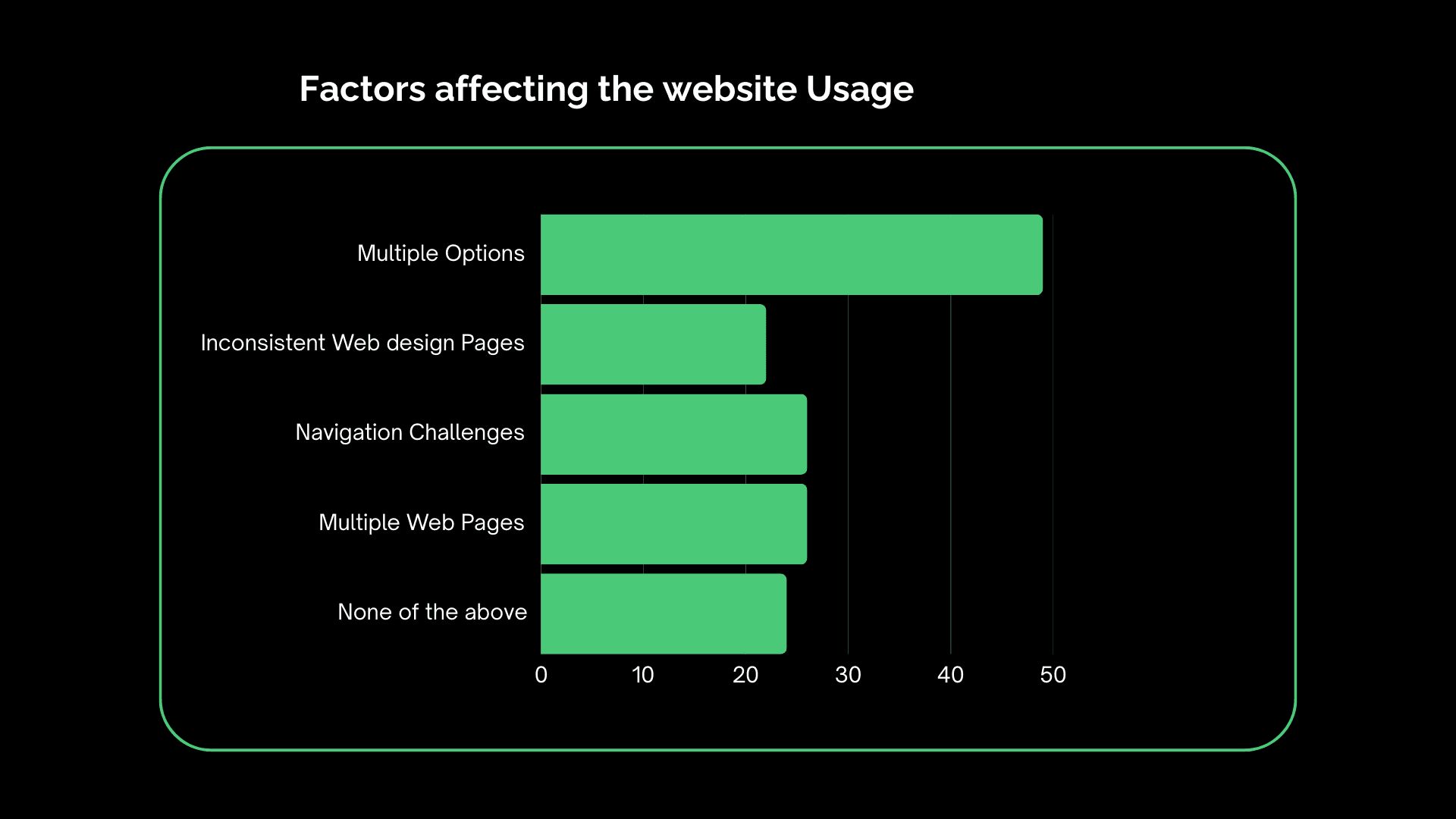
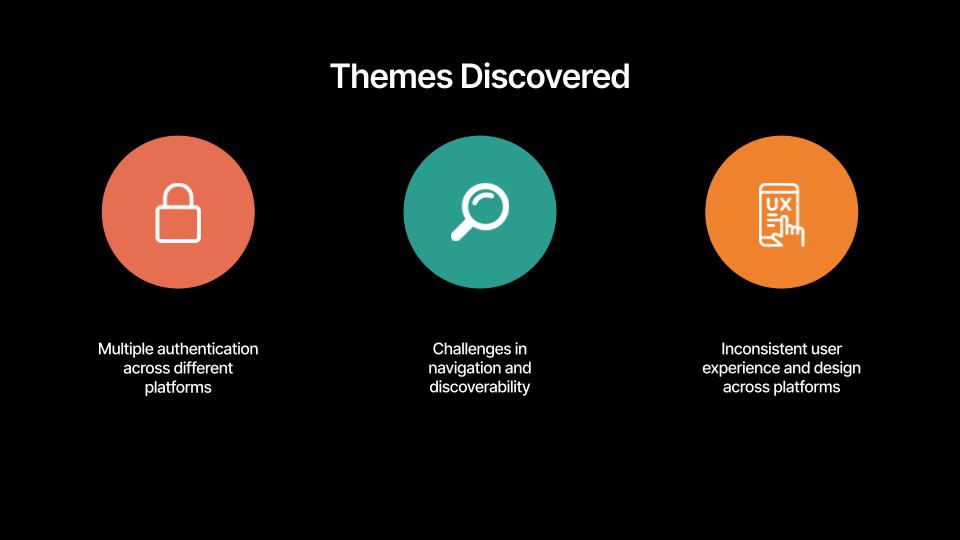
Our findings revealed persistent challenges with both discoverability and usability across key platforms. ACSIS and HireAC were the most difficult to find and navigate, while 33% of respondents cited multiple logins as a major barrier to effective website use. Although over half of the students found information access easy, nearly one-third remained neutral, and 11% reported difficulty. Overall, most students rated their onboarding navigation experience as fair to good, highlighting a functional but unremarkable journey. These insights underscore the need for streamlined navigation, consistent design, and clearer access paths to improve the student onboarding experience.
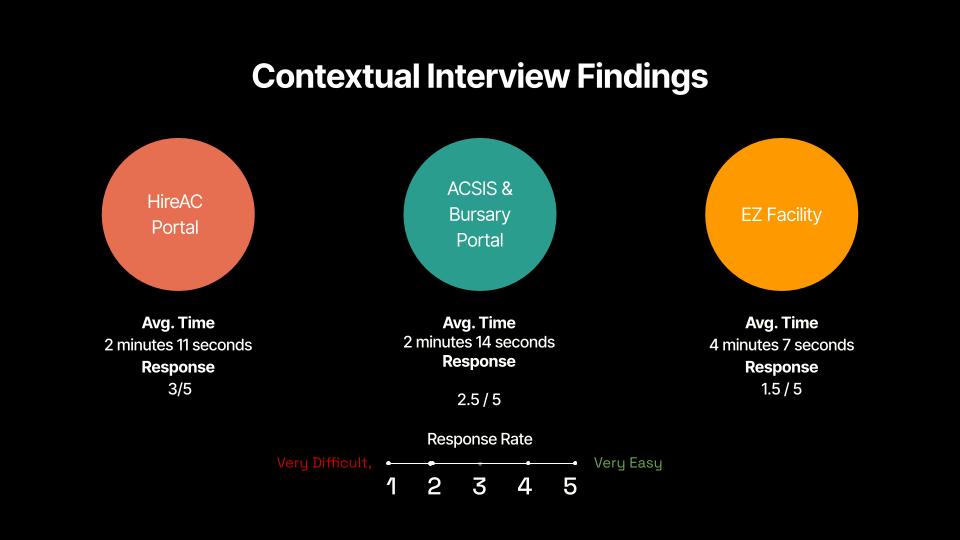
Participant: 12 First-Year Students
Format: Contextual inquiry
Task Assigned :
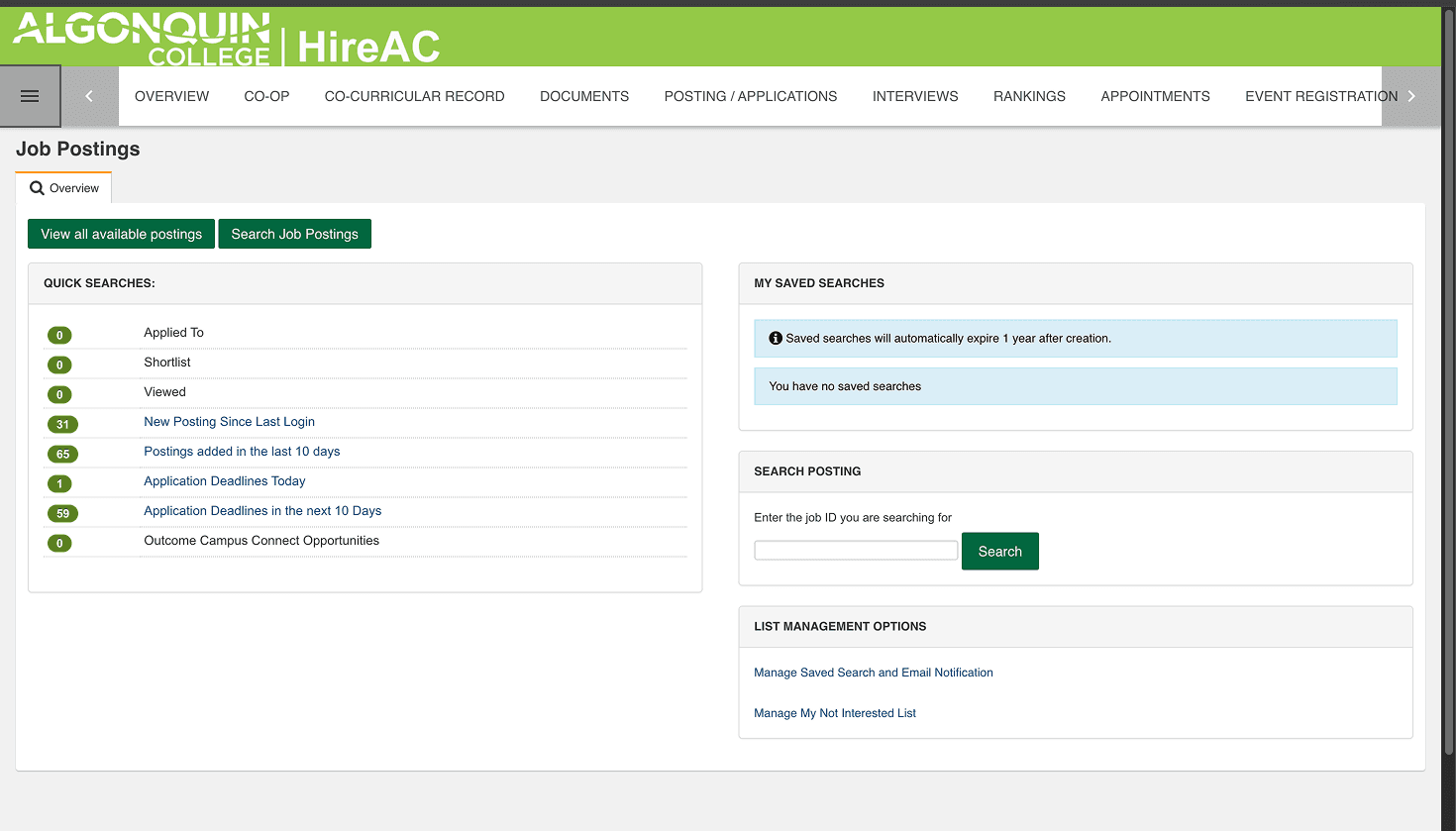
Navigate HireAc to find a Part-time job
Access the Bursary portal via Acsis
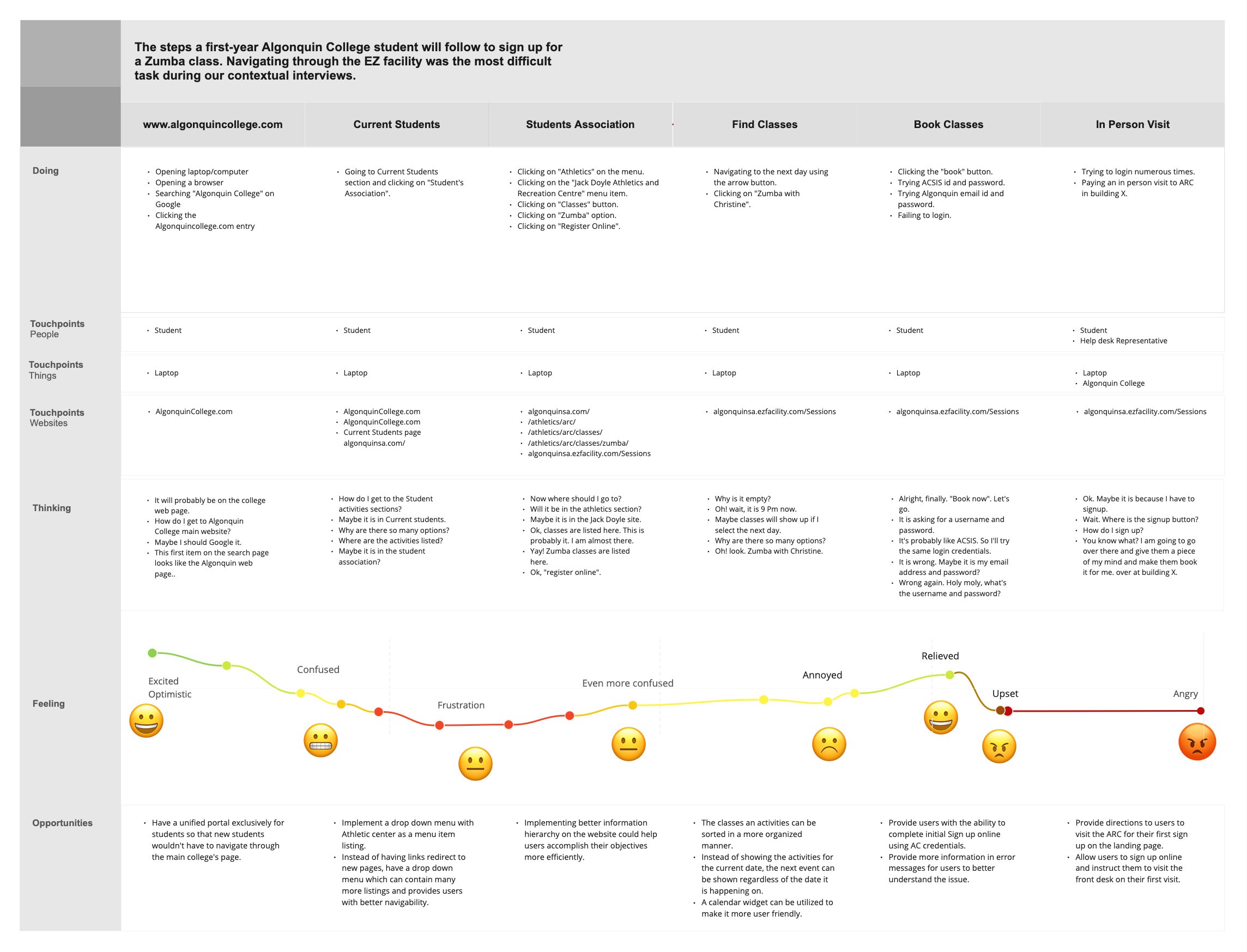
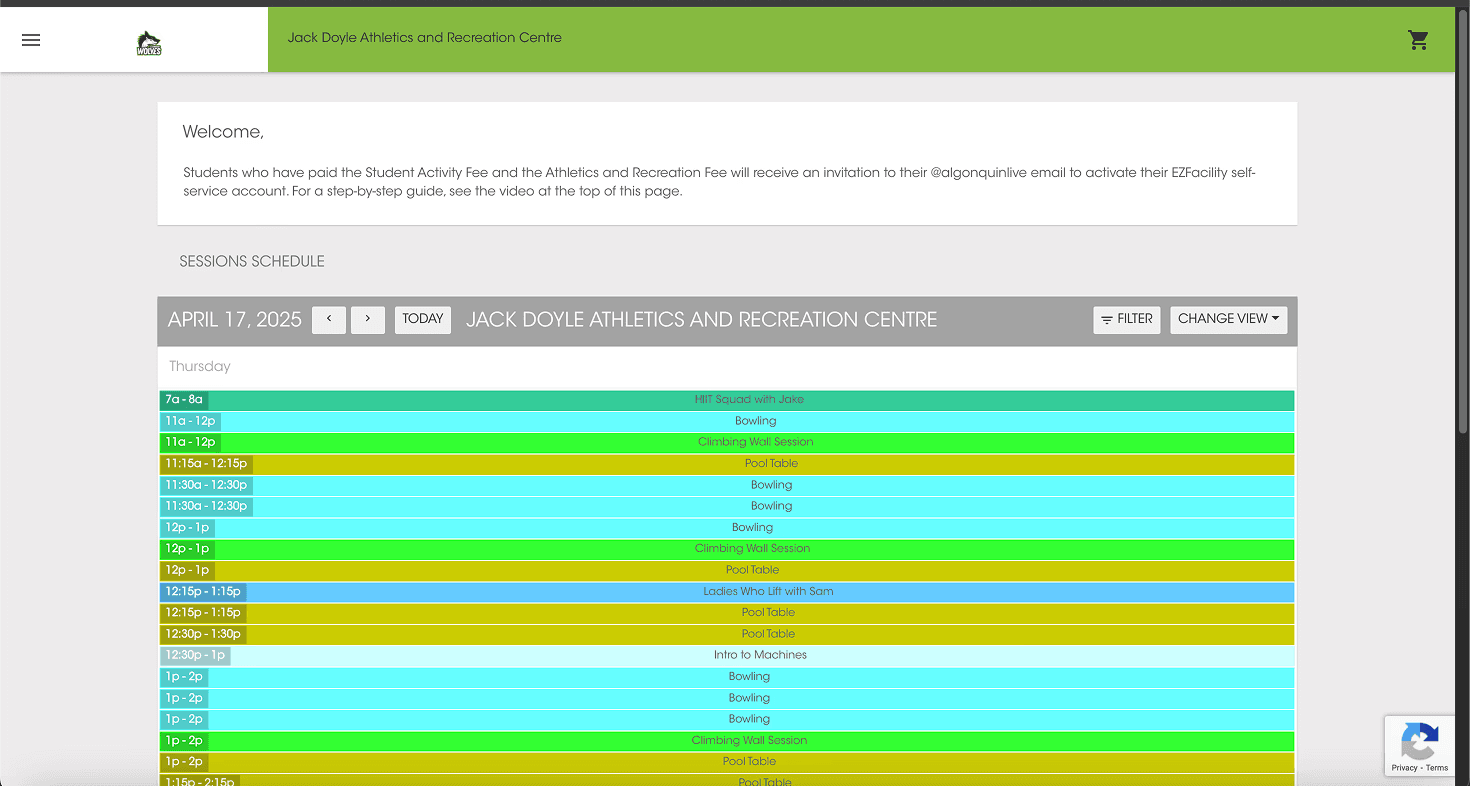
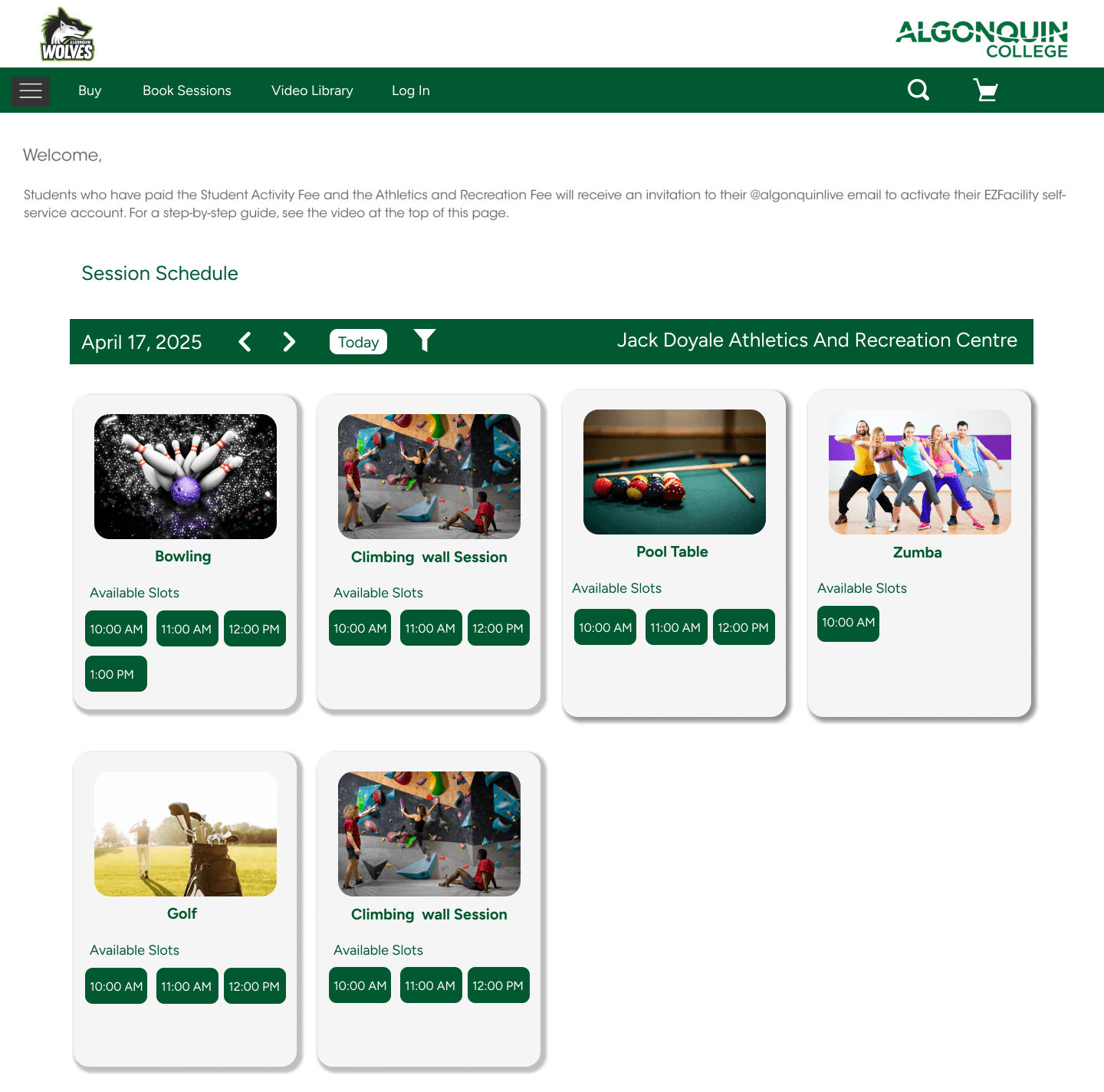
Book a Zumba Class via EZfacility
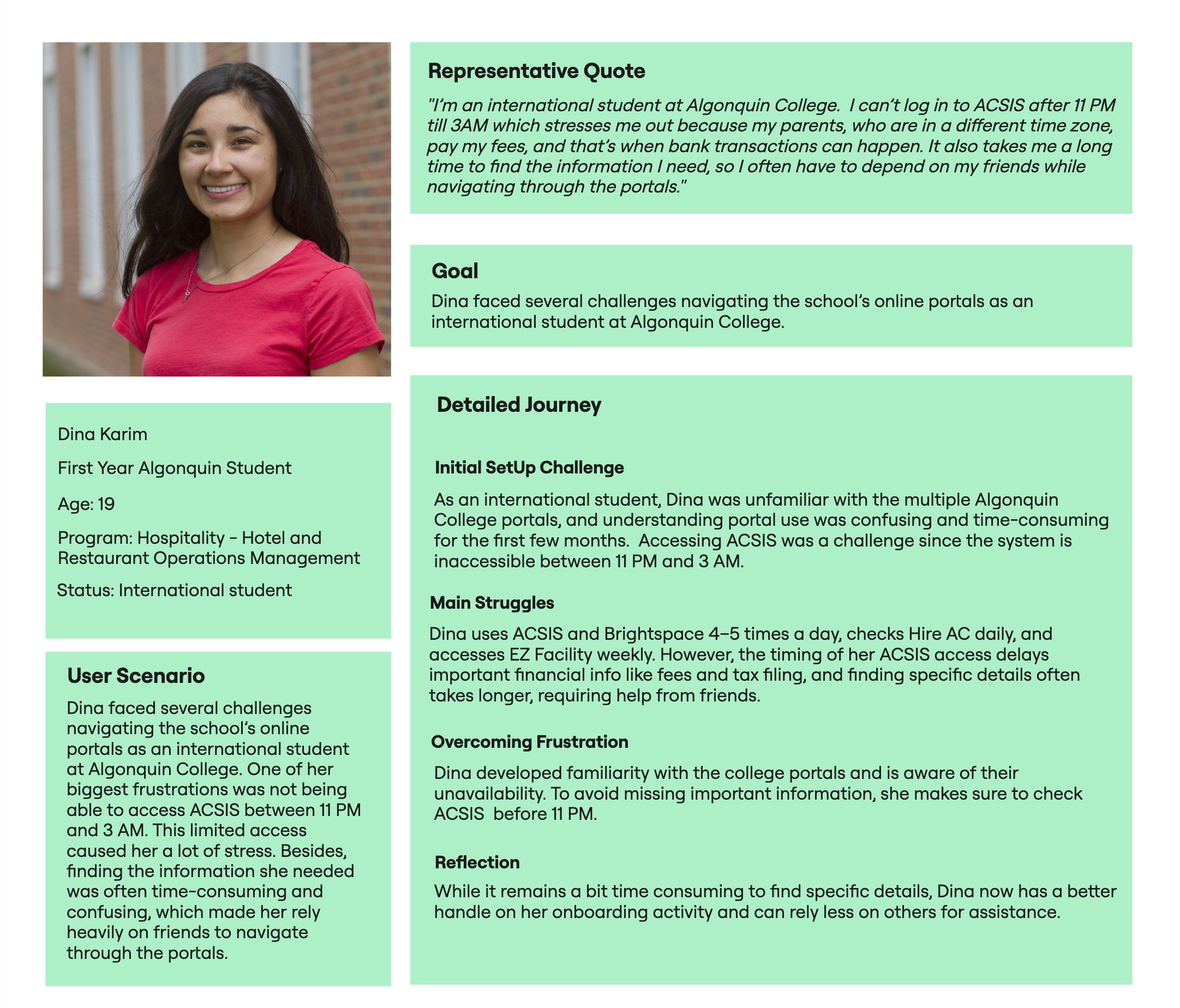
User Persona
User Scenario
User Journey Mapping
Recommendation & Insights

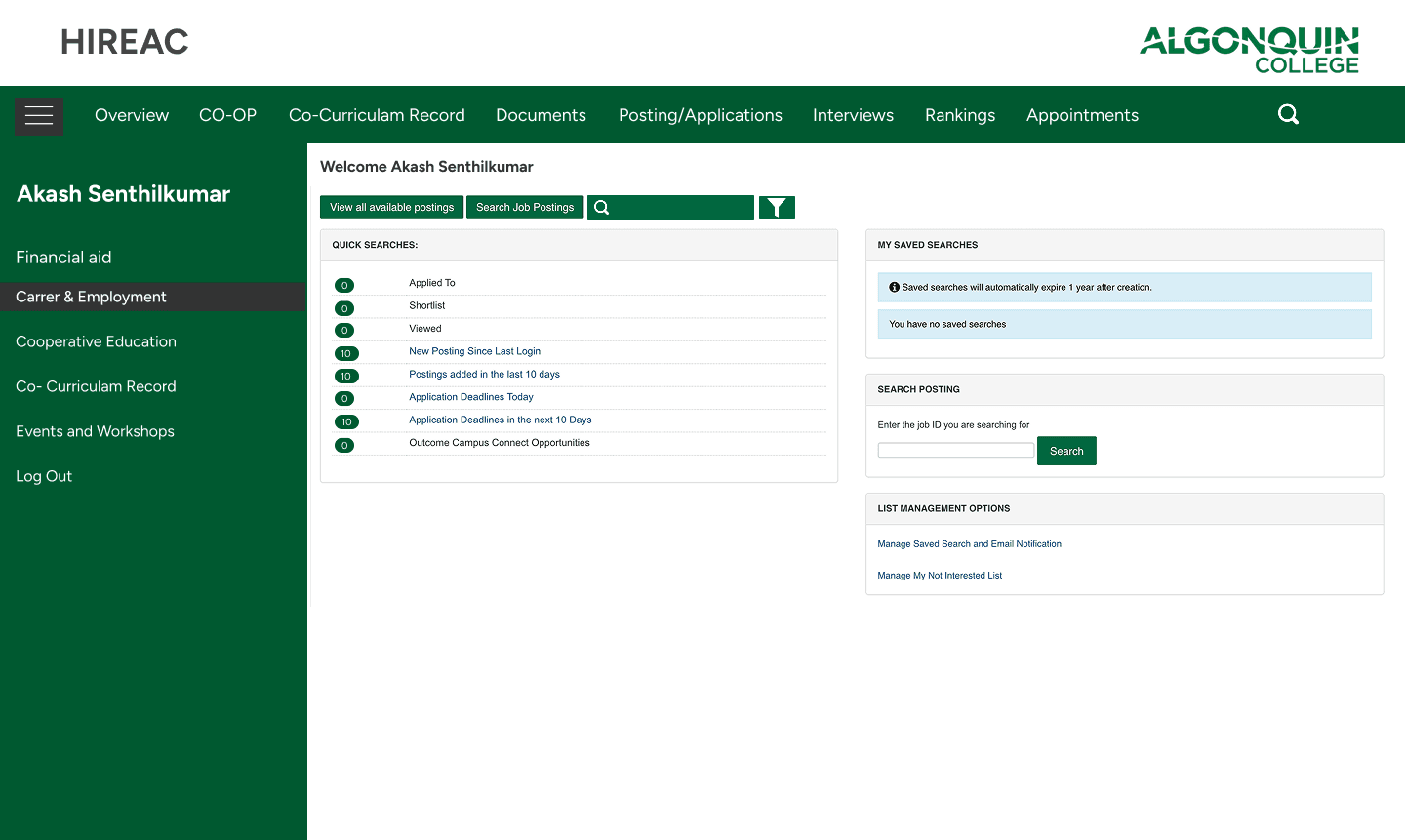
Improving the HireAC Portal
Introduce Consistency & Standards
Improve Search Functionality
Improve Application Transparency

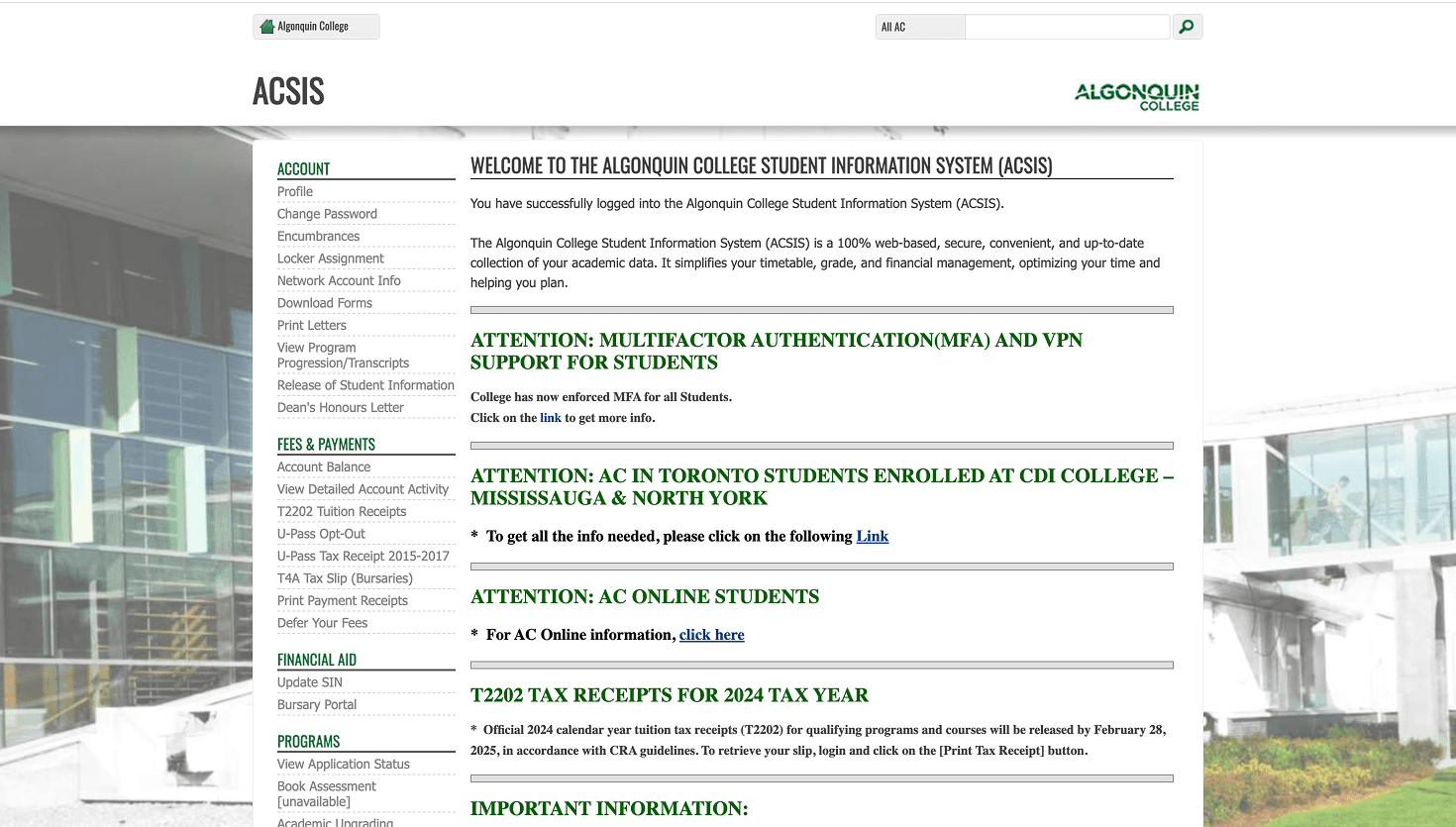
Enhancing ACSIS & Bursary Portal
1.Streamline Login Process
2.Improve Visual Design and Task Flow
3.Platform Integration
Enhancing EZFacility
Improve UI and Visual Design
Before
After
Before
After
Before
After
Open to new work
Excited to tackle new challenges in UX design!